easl
everything your agents work on, in one place.
one infinite board: your agents in real terminals, next to your code, a browser and their notes. click anything into their next prompt. native mac app. free, mit.
macOS 14 or later on Apple silicon
Works with Claude Code, Codex, omp, opencode, Gemini CLI (before 0.60) and any terminal program.

Ask Claude Code how something works and you get a few paragraphs of path:line references in the terminal, which scroll away. In easl it opens those files next to its terminal, and when you ask the next question you hold ⌃⌥⇧⌘ and click the line you mean, so you never type “around line 90” or paste a screenshot.
The file opens next to the terminal, with your language server
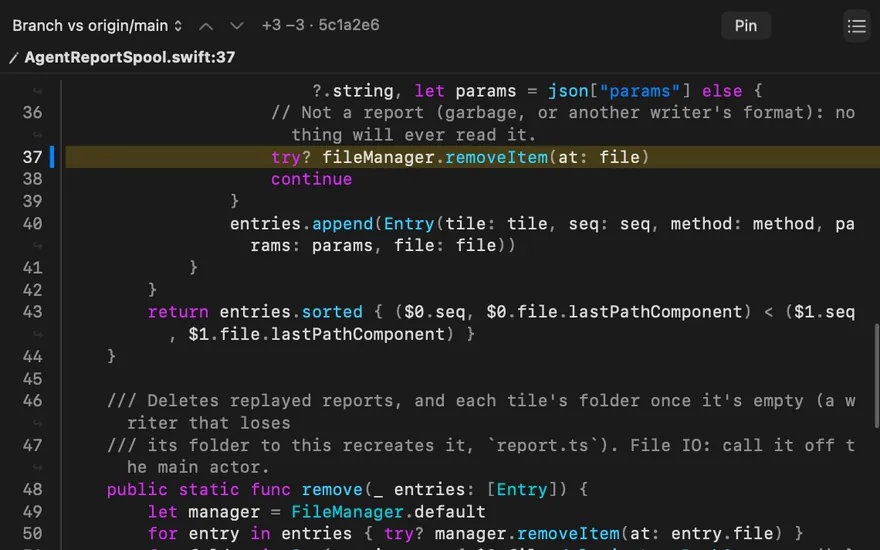
A code tile is the whole file, with hover, go to definition, references and outline from sourcekit-lsp, pyright, typescript-language-server, gopls or rust-analyzer (text search when none is installed), and a git gutter against your branch. Each agent has one that follows the file it last read or edited, and Command-click on a path:line in a terminal opens it.
Codex edits AgentReportSpool.swift
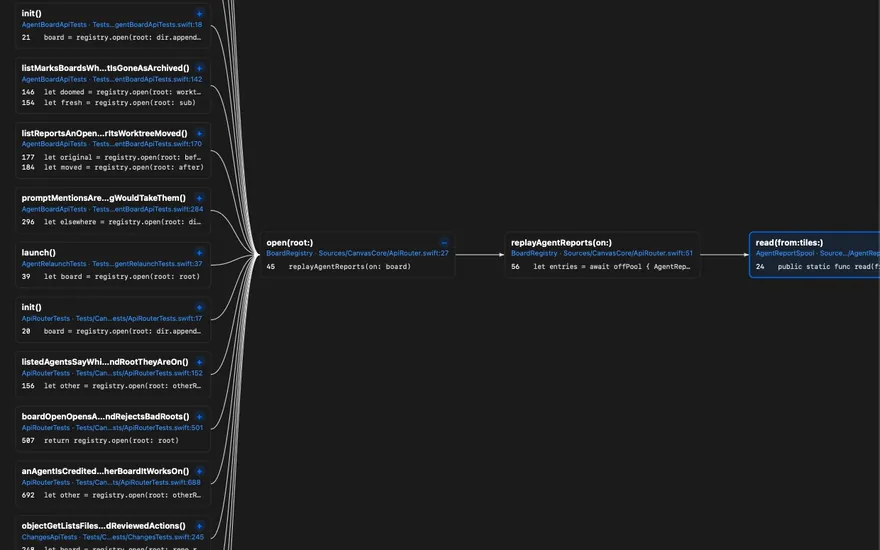
Call graphs from your language server
A diagram tile built from your language server shows who calls a function, what it calls, or both. Each node is anchored to its symbol, with its file:line and a short excerpt; a node’s + opens one more level, the graph recomputes when the files change, and a function that disappears keeps a stale badge. It needs a language server with call hierarchy (verified with sourcekit-lsp).
Who calls AgentReportSpool.read
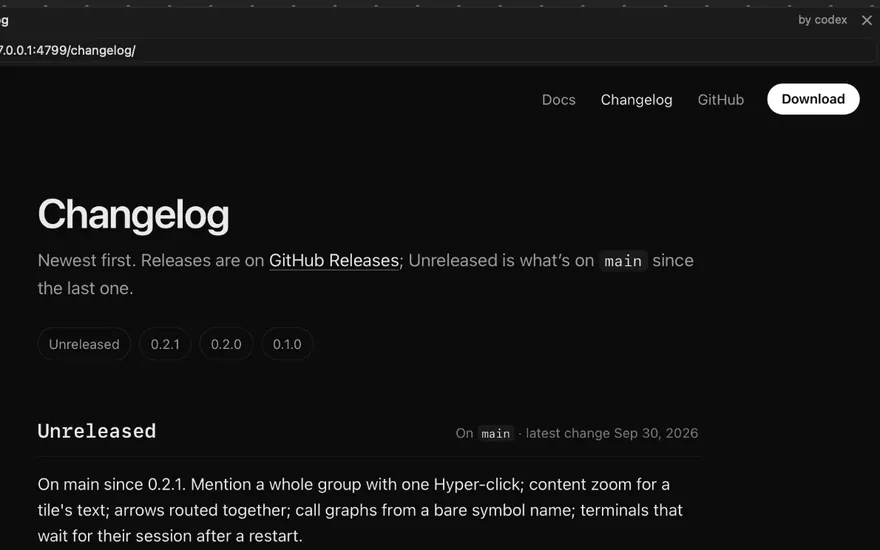
Claude Code and Codex can click and type in a browser
Browser tiles are WebKit pages on the board. With easl browser, Claude Code, Codex or any CLI opens a page beside its terminal, then snapshots it, clicks, types, fills and takes screenshots in the tile; omp uses its own browser tool. It isn’t Chrome, so CDP tools such as Playwright can’t attach.
Codex opens the docs and clicks Changelog
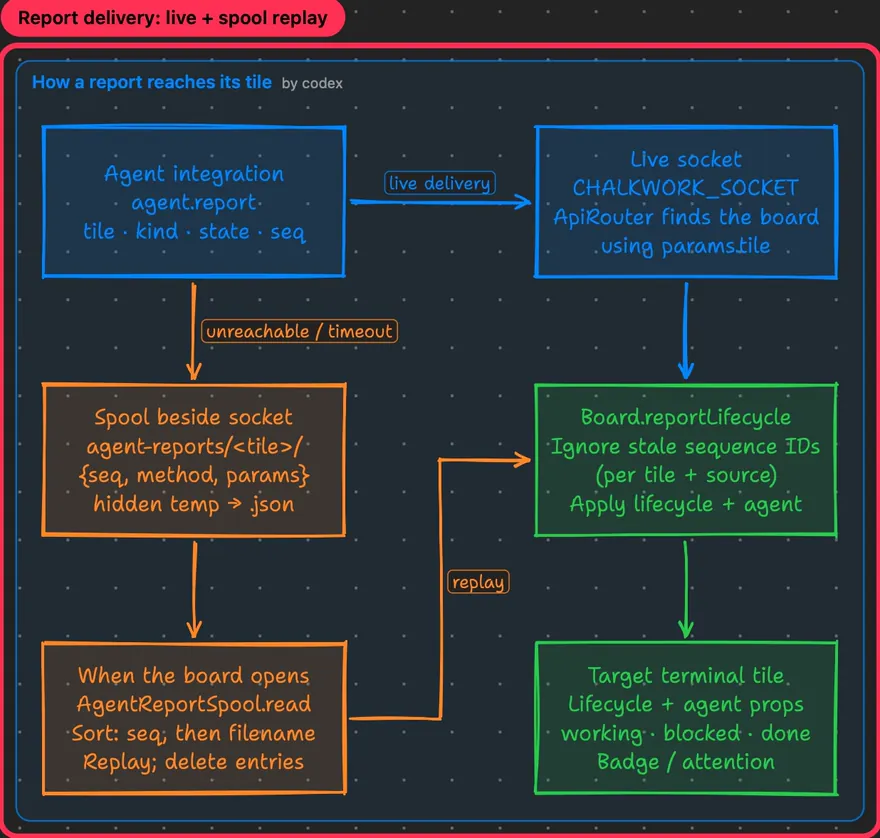
HTML explainers and diagrams the agent writes
Ask for an explainer and the agent writes a sandboxed HTML page, with Tailwind, Mermaid and code excerpts built in and the network off by default. Notes quote code from the file as it is now and get a stale badge when it moves, and an arrow can end on one exact line. Whatever an agent makes lands next to its terminal with its name in the title bar, and Option-Command-Right Arrow steps through a walkthrough in order.
Codex draws how a report reaches its tile
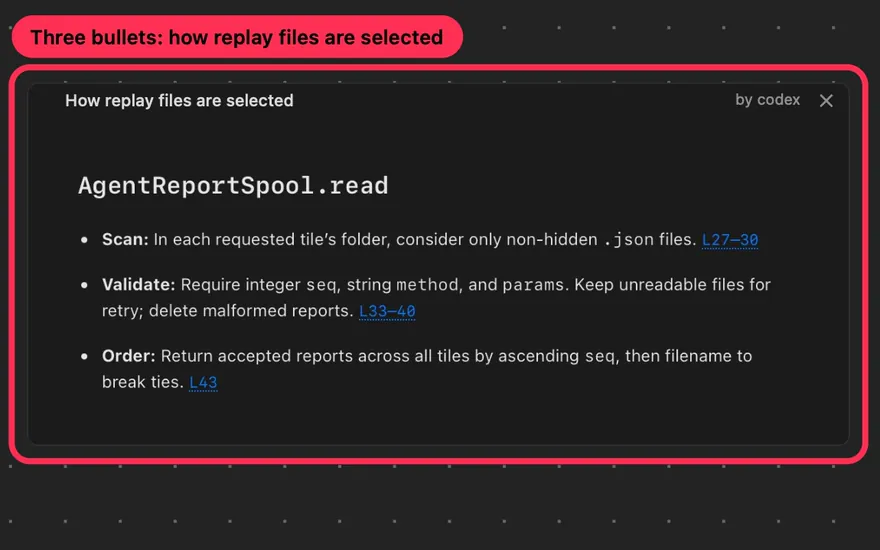
Codex writes a three-bullet explainer
What you click goes with your next prompt
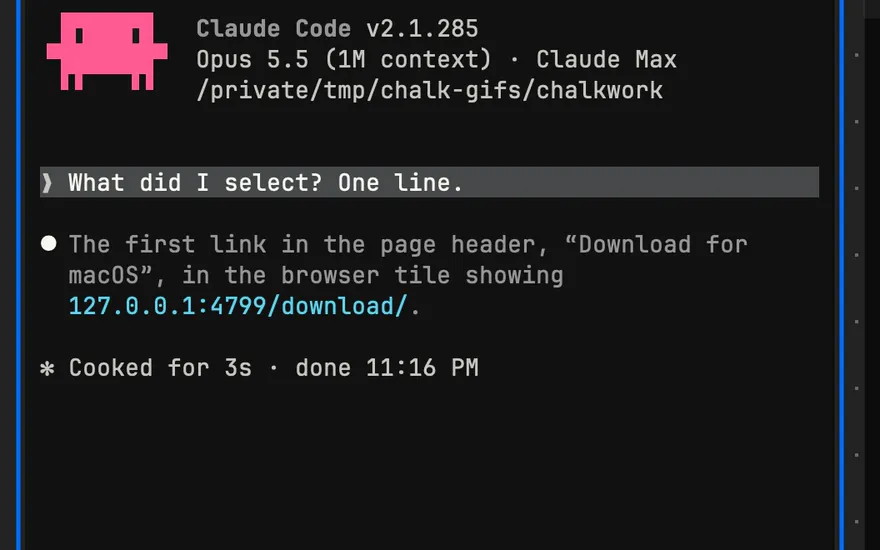
Hyper-click (Control-Option-Shift-Command-click) a line of code and it waits in the tray at the bottom of the window. The next prompt you send that agent carries it, as it was when you clicked. It works the same on a call-graph node, an element on a page, a command’s output, a note paragraph or a box, and on a group’s title, which sends every member with a short excerpt plus the arrows between them.
Caps Lock mapped to Hyper with Karabiner-Elements makes it one key, and Shift-Command-Mpoints at whatever the keyboard is on, with no setup. In each clip below, the prompt starts “What did I select?” and the answer is the agent’s: Claude Code in the first four, Codex in the last two.
A line of code
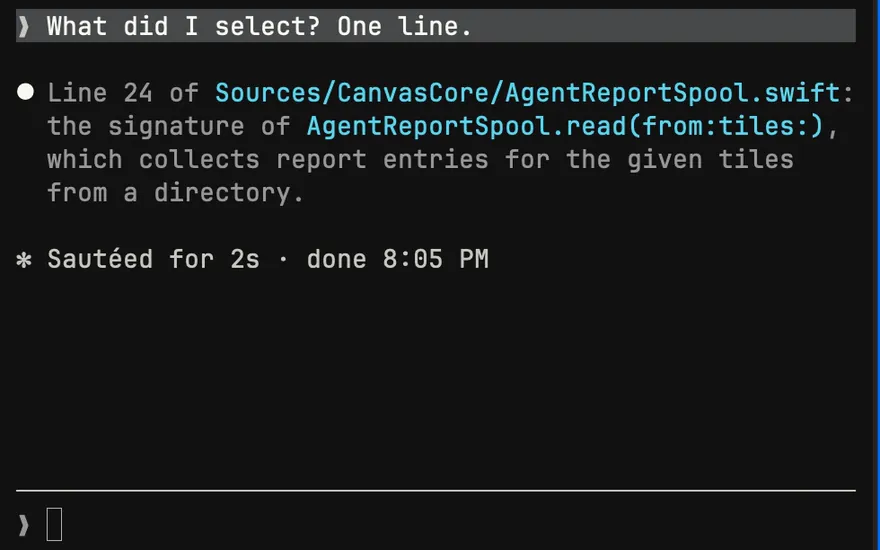
A box in a diagram
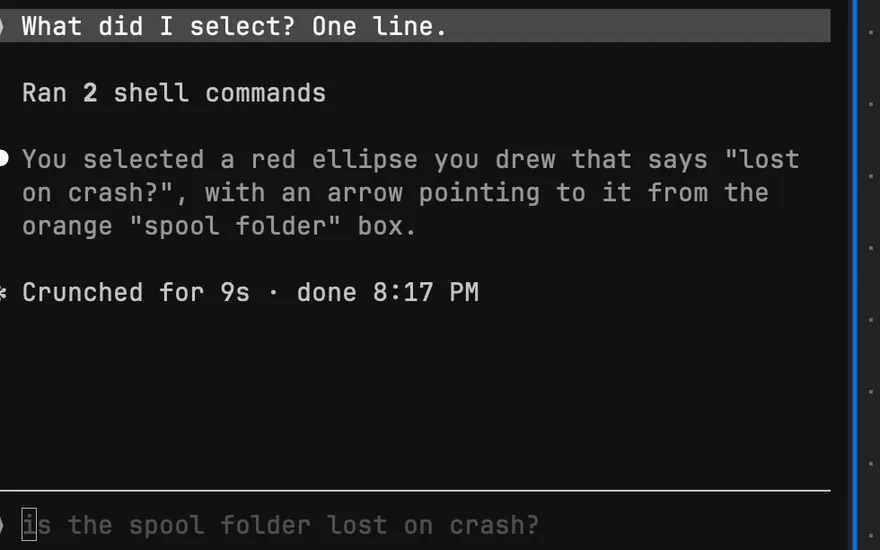
An element on a page
A command’s output
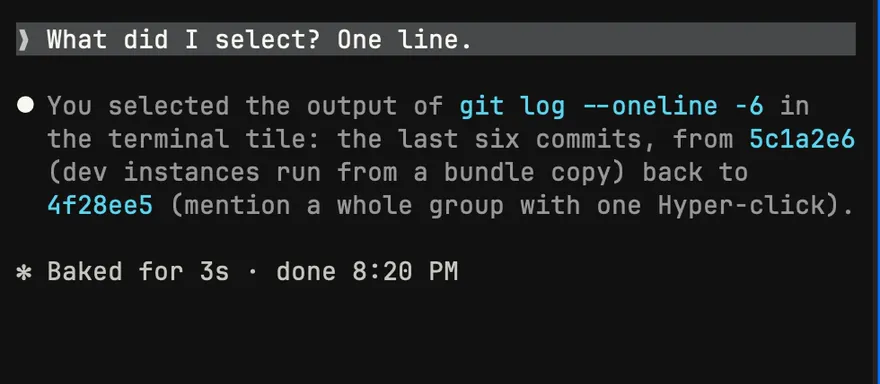
A paragraph in a note
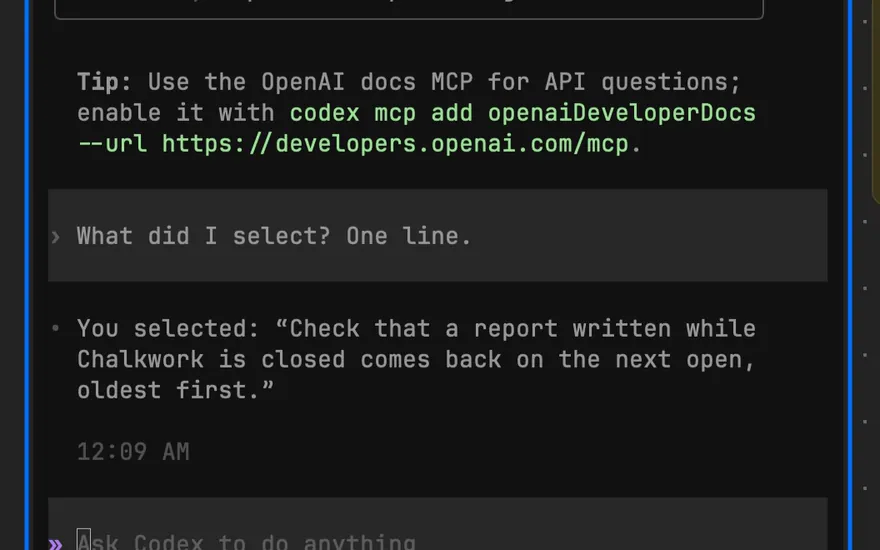
Three selections in one prompt
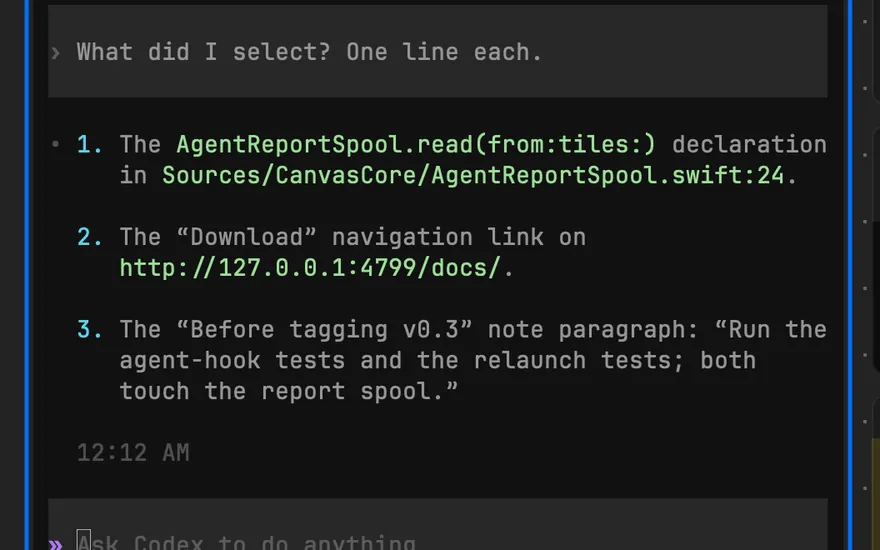
For an agent without an integration, Hyper-V (Control-Option-Shift-Command-V) pastes the mentions into the terminal you’re typing in. Mentions
It runs the Claude Code and Codex you already have
easl starts the claude, codex, omp or opencode you installed, unmodified, in its own TUI, logged in as you. You type to each agent in its terminal; easl has no AI of its own and doesn’t ask for an account or an API key.
Terminals are libghostty with your Ghostty config. They run in zmx sessions, so quitting the app or a crash doesn’t end them. Hooks load per session, and nothing is written to your shell, agent or Ghostty config (the README’s Uninstall lists every path easl writes).
It’s Swift and AppKit. A terminal you can’t see stops drawing but keeps running: with 3 idle omp agents and 1 shell, the window shown and nothing focused, top measured 0.2 idle wakeups/s and 0.0% CPU.
Works with
- Claude Code
No setup, only inside easl: the hooks and the easl skill load per session. Your mentions, a follow tile, and its session back after a reboot.
- Codex
The same, with no setup.
- omp
The first-class agent, through easl’s omp extension (one symlink). It also drives browser tiles with its own browser tool.
- opencode
No setup: easl’s plugin is added per session. Your mentions and a follow tile.
- Gemini CLI
Before 0.60, no setup, the same as opencode. Gemini CLI 0.60 and later runs as a plain terminal.
- aider and any other CLI
Runs in a tile, unmodified. Hyper-V (⌃⌥⇧⌘V) pastes your mentions into the terminal you’re typing in.
Setup for each, and what happens when you quit or reboot: Agents
For agents: the API
A local socket with a JSON schema, the easl CLI inside the app, and Python and TypeScript clients. Agents lay out a board in atomic batches, render any region offscreen without moving your view, and pass board objects to each other with easl agent. A skill that explains all of this loads only in terminals inside easl.
The rest
- It keeps running when you quit. Terminals live in zmx sessions, so they keep going after you quit easl or it crashes. After a reboot, Claude Code, Codex and omp tiles resume their session. More
- Diffs. A changes tile reviews an agent’s work like a PR: stage, unstage or discard files, hunks and lines, and ⌘Z undoes it. It also shows any branch or fetched pull request against its base, without checking it out. More
- One board per repository. Every worktree and branch of a repo opens the same board, and terminals remember the worktree and branch they started in. More
- It tells you when an agent has a question. A dot on its tile, and a macOS notification when easl isn’t in front. More
- ⌘Z undoes what an agent did on the board. It says what it undid: “Undid omp: created 9 code tiles, 6 arrows”. More
What’s new in 0.3.3: the changelog
Install
Download
Easl-0.5.0.zipfrom GitHub Releases, unzip it and moveEasl.appto Applications.It’s ad-hoc signed, not notarized, so clear the quarantine flag once (or open it, then choose Open Anyway in System Settings › Privacy & Security):
Install the runtime tools: terminal tiles need zmx; the
easlCLI and the omp extension need bun.
The omp extension, language servers, what easl leaves alone and how to uninstall: Download
FAQ
How is this different from the Claude desktop app, the Codex app, Cursor or cmux?
easl doesn’t wrap your agent. Claude Code, Codex and any CLI agent run unmodified in real terminals, in their own TUI, logged in as you. They open your code, call graphs, browser pages and HTML explainers as tiles next to their terminal, and anything you Hyper-click goes with your next prompt.
You still type to each agent in its own terminal. easl has no AI of its own.
Is it notarized?
No. It’s ad-hoc signed, not notarized, so Gatekeeper blocks the first launch. Clear the quarantine flag:
xattr -dr com.apple.quarantine /Applications/Easl.appOr open it once, then choose Open Anyway in System Settings › Privacy & Security. Right-click › Open works only on macOS 14; macOS 15 removed that shortcut.
If you’d rather not run a downloaded binary, build it from source: the Command Line Tools are enough.
Which agents does it work with?
Claude Code, Codex and opencode with no setup inside easl, and Gemini CLI before 0.60. omp is the first-class agent, through one symlink. aider and any other CLI run in a tile too, and Hyper-V pastes your mentions into them. See Works with.
Does it need an account or an API key?
No. It uses whatever account your claude and codex are already logged into.
What does it cost?
Nothing. It’s free and MIT licensed, and there’s nothing to sign up for.